Tour
Features, examples and current limitations.
Teksilo focuses on native desktop applications for Linux, Windows and macOS.
Widgets and layout
Teksilo provides around 100 widgets, 28 layout primitives and 54 runnable examples. The catalog includes tables, trees, menus, dialogs, pickers, charts and a rich text editor.
Use fluent builders or the optional teksu! macro, which expands directly to builder calls. Widget::layout_response is the only required trait method; build, paint and accessibility define composition, rendering and semantics.
The widget-catalog example has 21 categories and supports all four theme presets in light and dark modes. The generated catalog documents the public types and builder methods.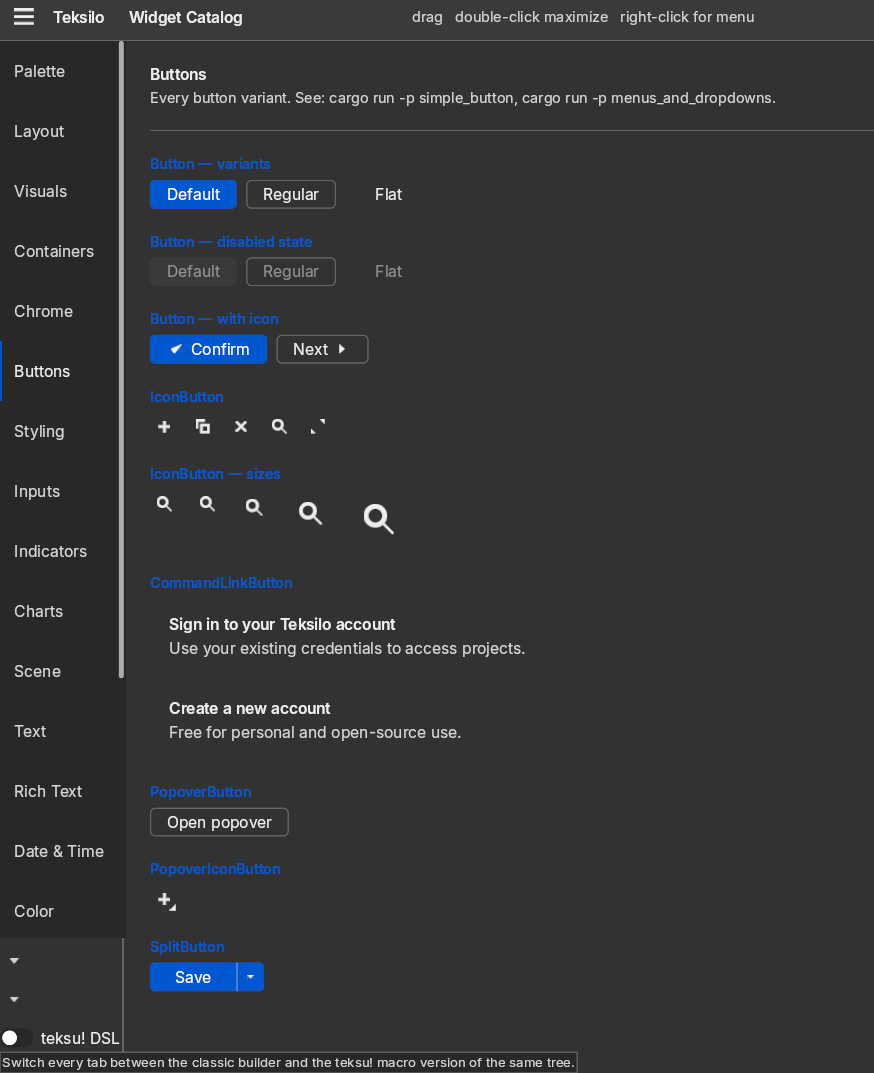
Rich text
All text uses text-document and text-typeset, independent MPL-2.0 libraries. They provide document structure, undo/redo, shaping, bidirectional text, font fallback and color emoji.
RichTextEditor adds formatting, tables, HTML and plain-text clipboard support, and a context menu. Multiple editable or read-only views can share one document. Highlight sessions support independent syntax, spelling and search layers.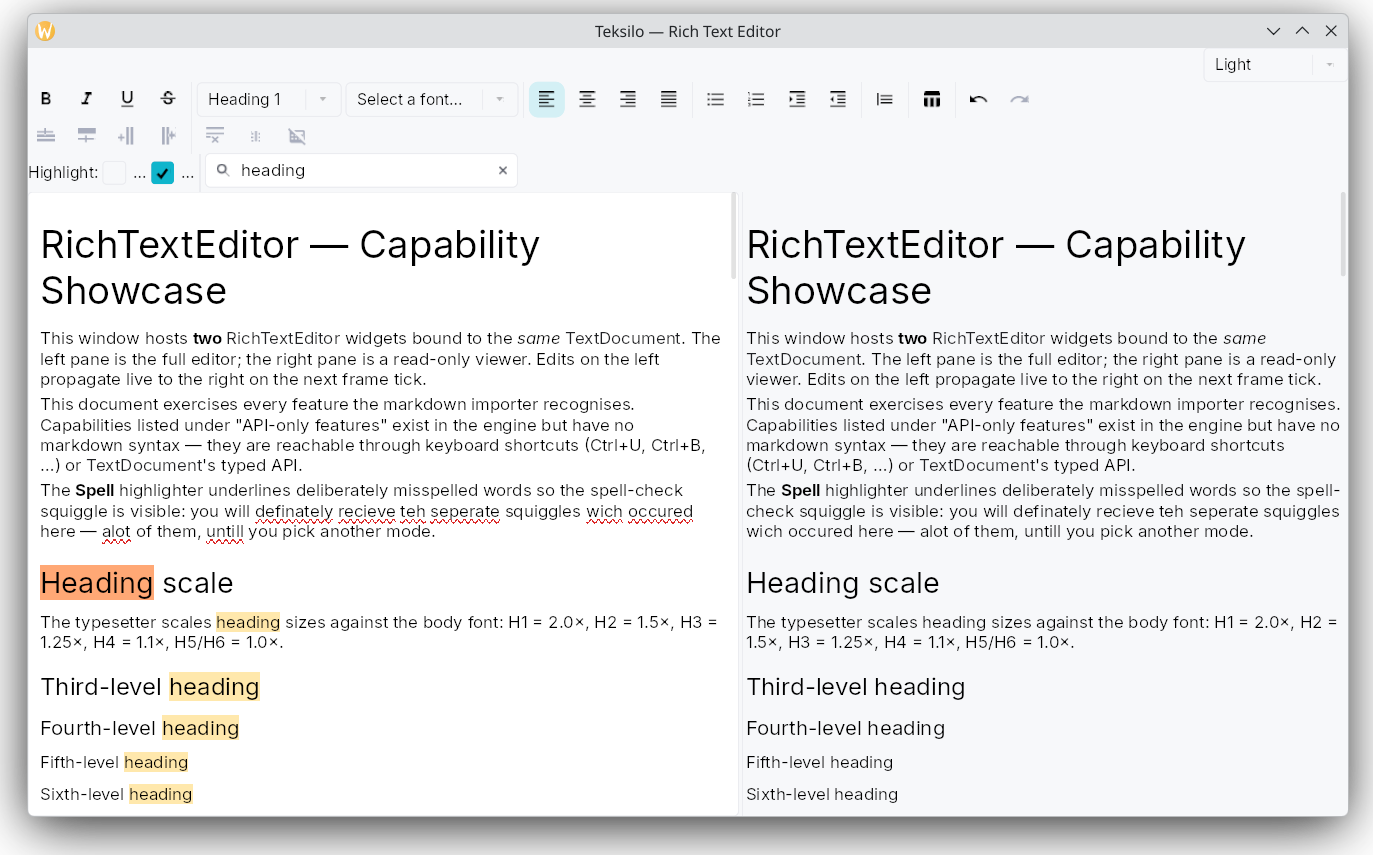
Applications supply dictionaries, grammar checking, language servers and code completion. The example highlighters use hardcoded demo data.
Data views
ListModel<T> and TreeModel<T> drive lists, trees, grids, tables, repeaters and tabs. Delegates receive &T. Built-in projections support sorting, filtering, shared selection, per-view expansion and tri-state checkboxes.
TableView provides virtualization, resizable and reorderable columns, pinned columns, cell and row selection, edit hooks and accessible table semantics. Row heights can be fixed, specified per row or measured from content.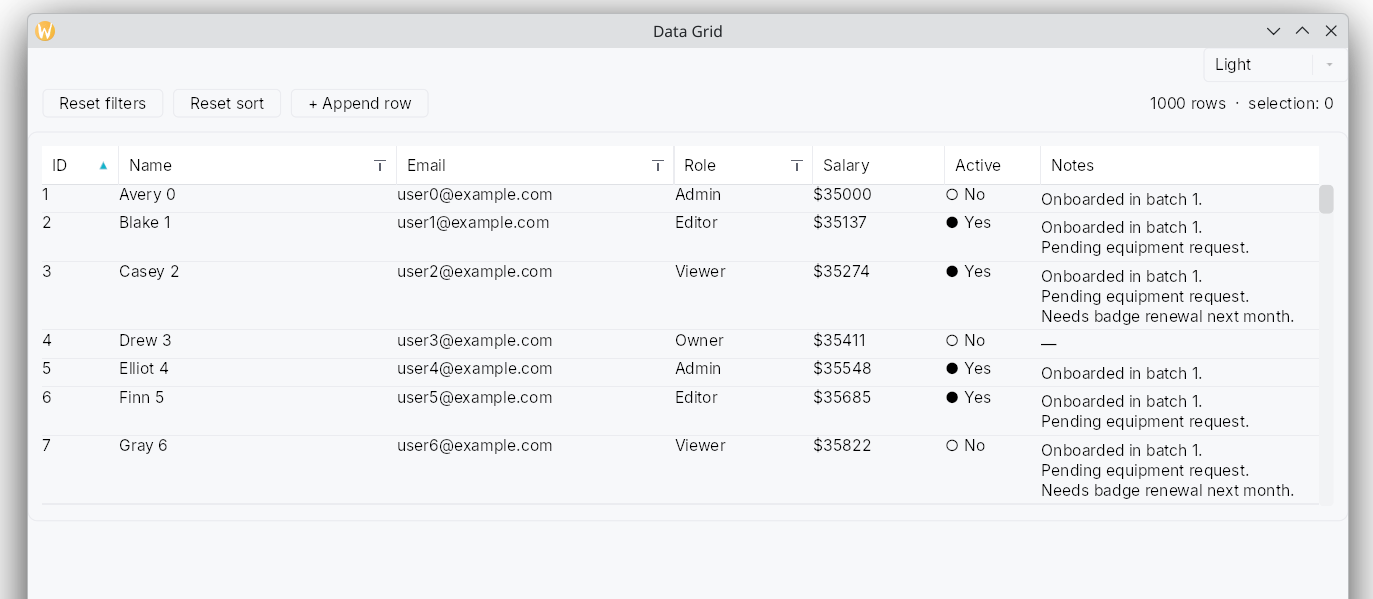
GridView supports uniform, variable-row and masonry layouts, marquee selection, two-dimensional keyboard navigation and sticky section headers. Data views share typed RowDragData<T> payloads for drag and drop.
Docking
DockingLayout combines a fixed center with four collapsible, splittable side regions, an activity rail and drag-to-dock targets. Its model supports state export and restoration.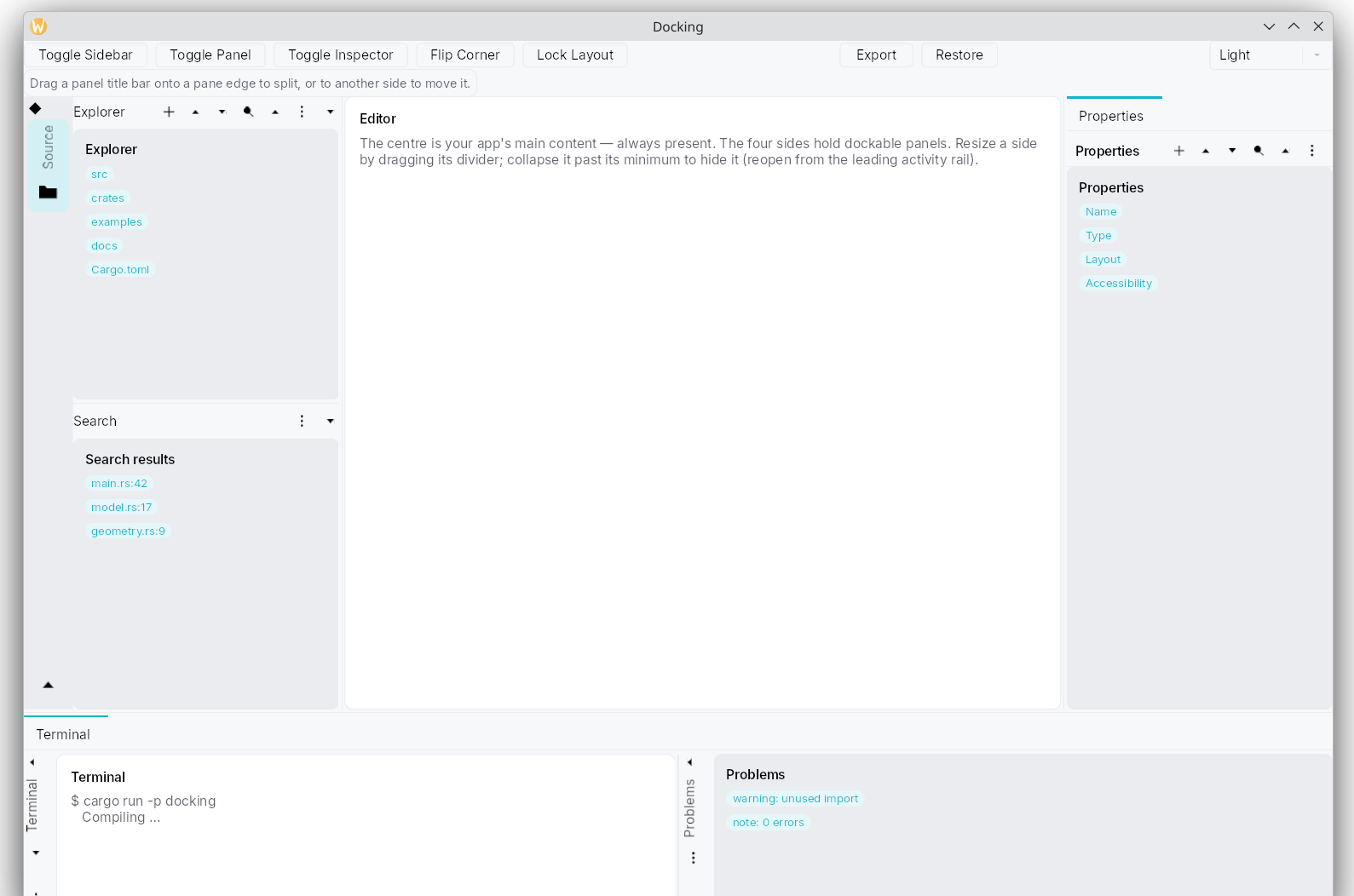
Floating docks, cross-window moves, recursive splits, dock maximization and hover flyouts are unsupported. Structural changes rebuild panel content; scroll position and unsaved edits survive resizing and tab switching, but not structural moves.
Scene canvas
teksilo-scene provides pan and zoom for corkboards, diagrams and timelines. A scene can combine full widgets with lightweight paint-only items. Both participate in the accessibility tree. Multiple views can share one model, with separate widget instances per view.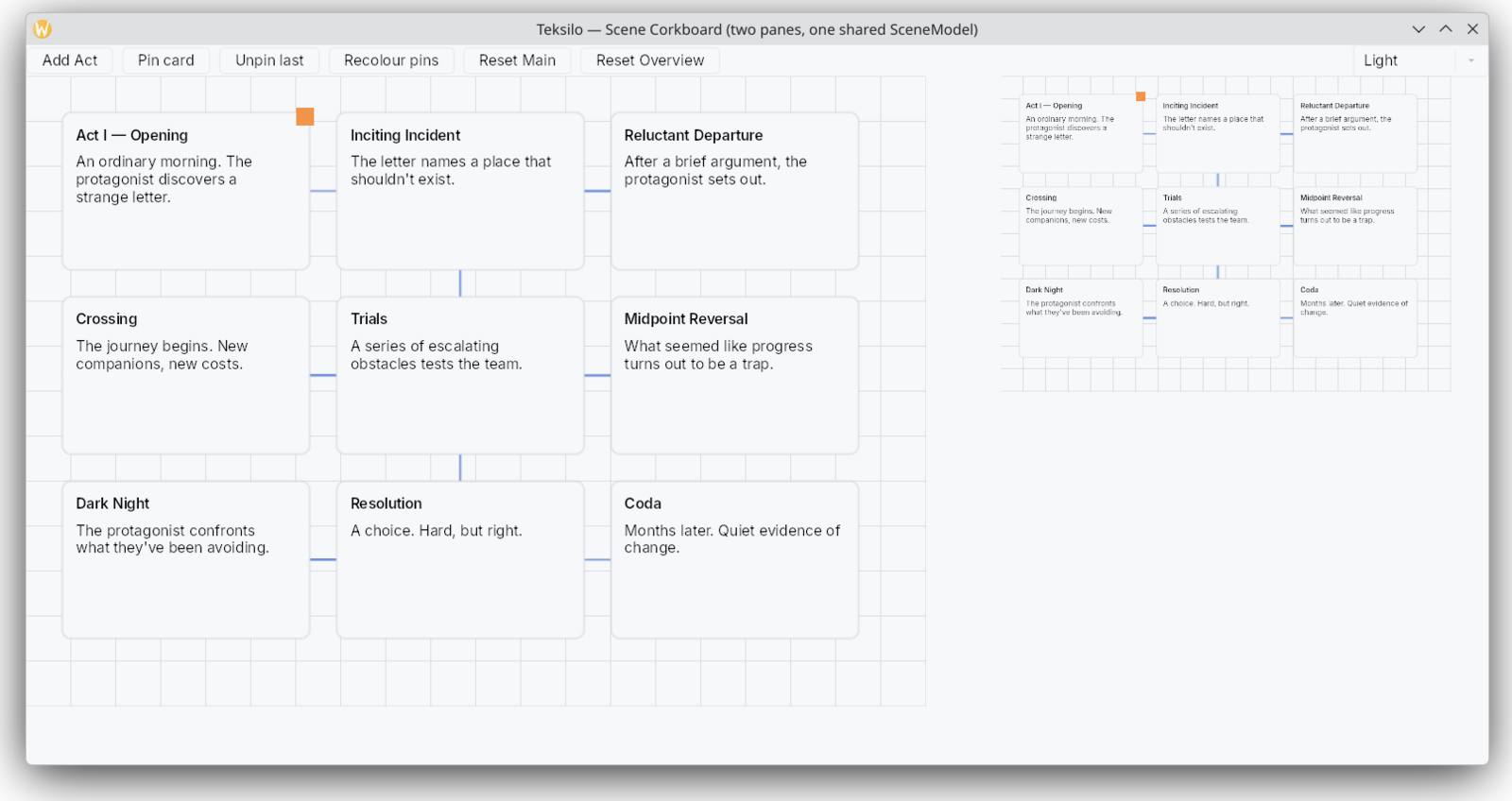
Accessibility
Widgets declare roles, labels and actions through Widget::accessibility. AccessKit connects each window to Linux, macOS and Windows accessibility APIs. Empty layout containers are omitted from the accessibility tree.
Modifiers override labels, roles and actions. Accessibility-only bindings update translated labels without rebuilding widgets. Shortcut announcements follow user bindings.
System preferences support increased contrast, text scaling and reduced motion. CI checks contrast in the default themes. Custom widgets must implement their own semantics; the default accessibility method is empty.
See Accessibility for application responsibilities.
Theming
Themes can change at runtime while preserving focus, scroll position and selection. Customize tokens, widget variants, paint recipes or style protocols.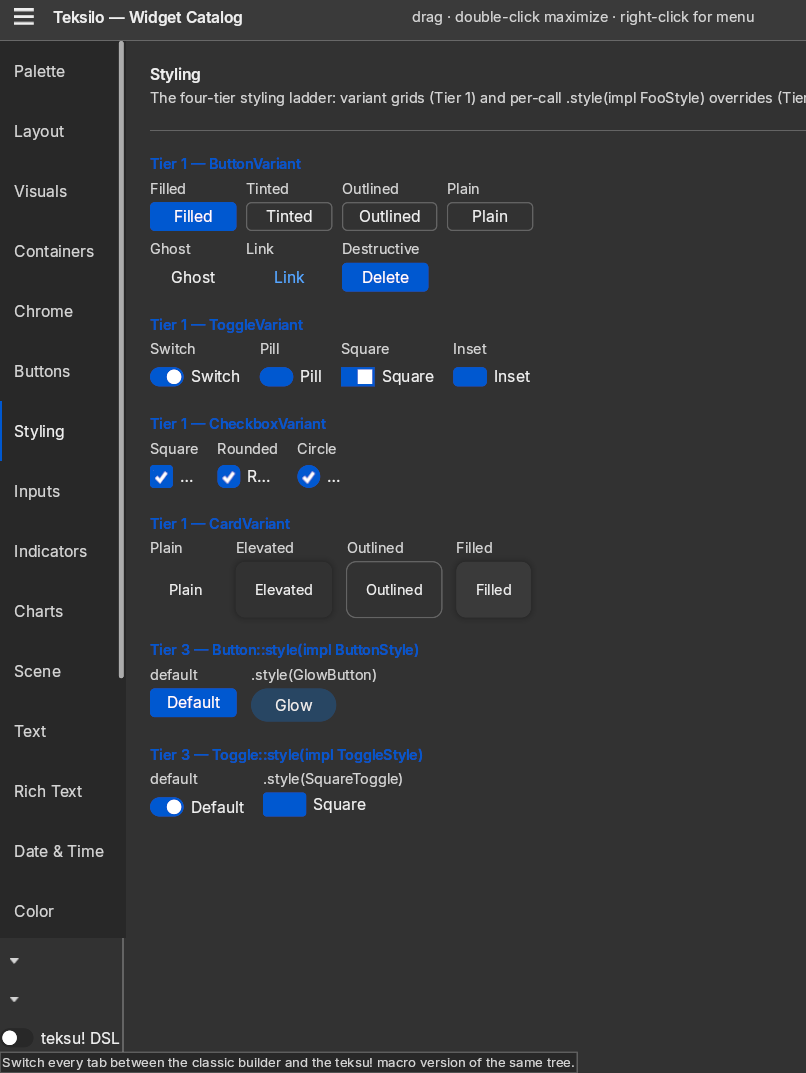
Int UI light and dark are included. Material 3, Fluent and macOS Aqua require theme-material3, theme-fluent and theme-macos, respectively. Widget chrome coverage varies; Material 3 is primarily token-based.
On Linux, native theme mode reads desktop colors from GNOME, KDE and Cinnamon. On macOS and Windows it follows light or dark mode only. The default is a fixed theme. Default presets have CI contrast checks at 4.5:1 for text and 3:1 for the focus ring. High-contrast mode adjusts text, focus and selection colors; contrast coverage varies by theme and widget state.
Internationalization
tr! validates Fluent keys and arguments at compile time. Right-to-left locales reverse row direction and swap leading and trailing alignment. ICU4X provides number and date formatting in messages and reactive formatters.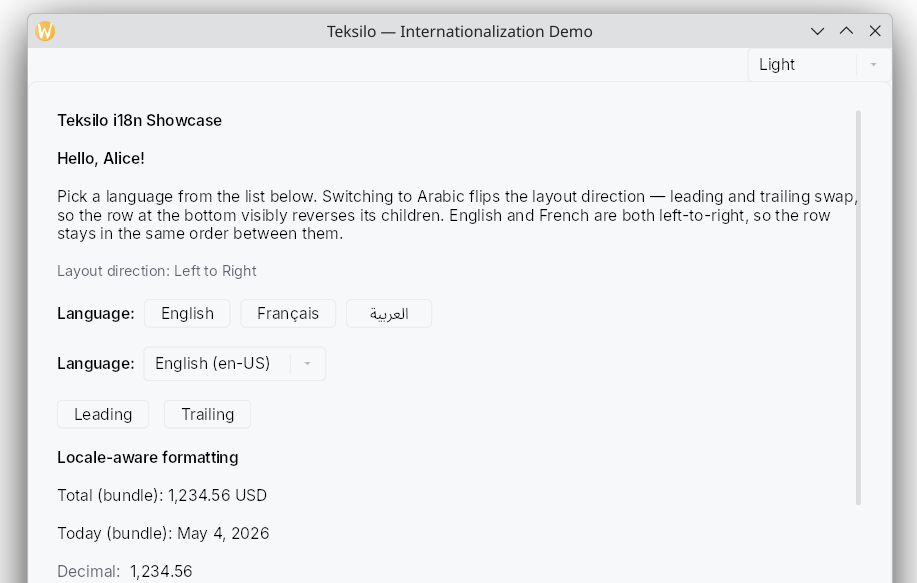
Decimal formatting follows the locale. Percent formatting currently appends ASCII %; currency formatting appends the ISO 4217 code. Localized currency symbols and placement are not yet supported.
Drag and drop
Teksilo supports typed in-app payloads, drop indicators, edge auto-scroll, inbound OS drops and outbound export.
macOS, Wayland and Windows backends have been tested live. X11 has protocol tests and coverage under KWin/XWayland and Openbox, but no standalone Xorg verification. OS export supports Copy only. X11 uses cursor feedback without a drag image.
Rendering and tests
The wgpu renderer submits no frames while idle. Animations in hidden widget branches do not schedule frames.
More than 6,000 Teksilo tests run without a window, GPU or display server. A simulated clock makes time-dependent tests deterministic. The wider text stack brings the total above 8,000 tests.
Developer tools
Inspector. F12 in debug builds opens the widget tree, properties, accessibility, theme, locale, focus, shortcuts, overlays and data models. Includes a widget picker, bounds overlays and overflow indicators. The inspector is excluded from release builds.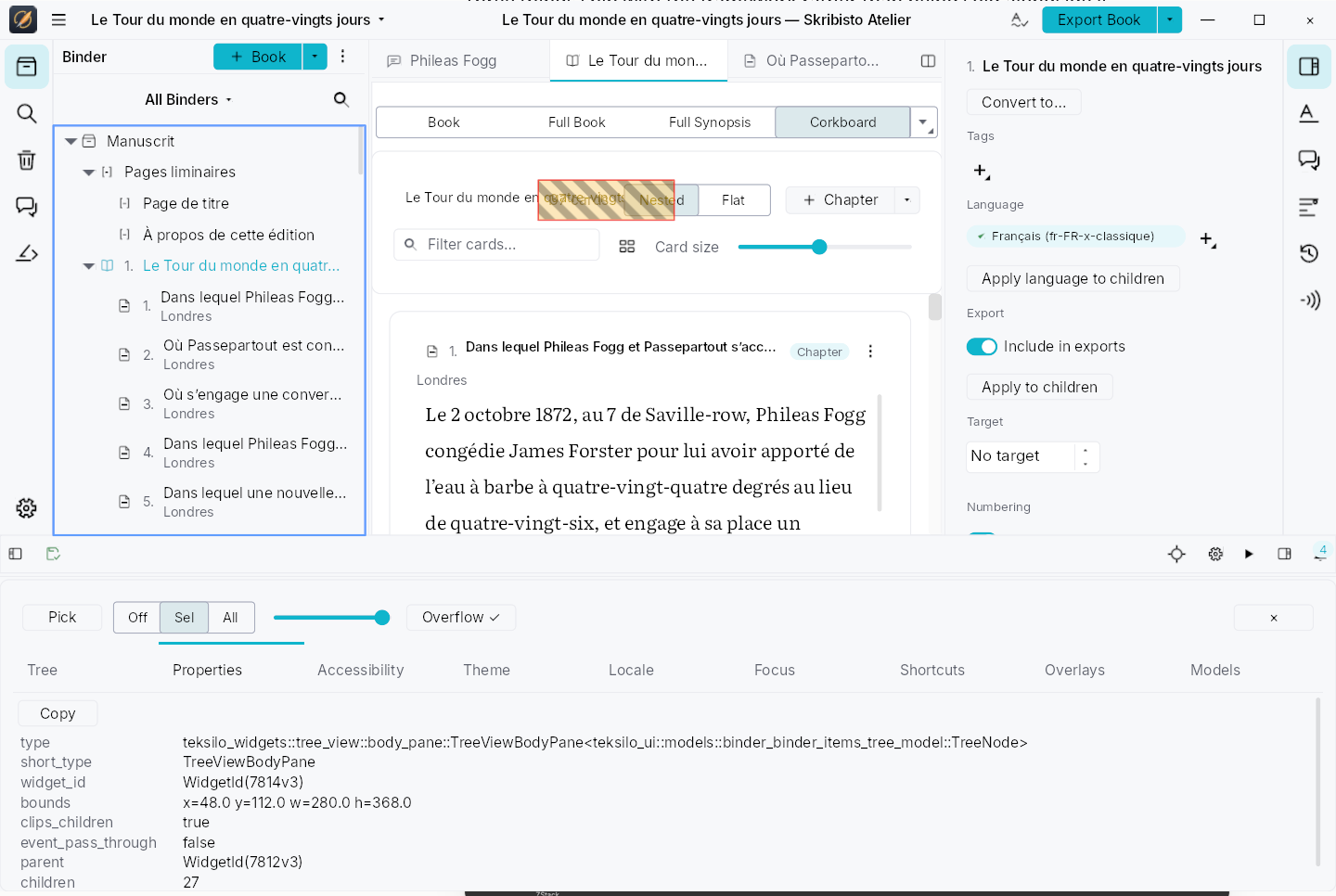
Previewer. A widget navigator with live property editing, multiple variants and PNG export. Third-party widgets register through inventory.
Automation. The MCP bridge exposes accessibility actions and synthetic input to agents. The socket bridge is available only in debug builds on Linux and macOS.
Optional features
- Web view:
web-view. The wry backend is functional. The Servo backend for native Wayland is a prototype and does not render pages yet. - Terminal:
terminal, a PTY-backed widget rendered through wgpu. - Async:
async, with optional Tokio or async-std reactor adapters. - Telemetry: optional analytics with compile-time event-schema validation.
- Automation: the debug-only MCP bridge.
- Themes: Material 3, Fluent and macOS Aqua.
Current limitations
- Chinese, Japanese and Korean IME composition needs testing by regular users.
- Minor releases may introduce breaking changes before 1.0.
Skribisto 3 uses Teksilo for its editor and interface. FernTech’s application requirements guide the roadmap.
Next steps
Get started, browse the documentation, or read the license and trademark terms.